
Your trial conversion rate is 4%. You have been trying to move it for two quarters. Nothing you change to the onboarding flow makes a dent.
There is a decent chance the number is wrong. If a third of your trial signups were never real people, your actual conversion rate on real humans is closer to 6%, and every experiment you have run has been measured against a denominator full of noise.
Fake trial signups are expensive in a way that hides. They inflate the metric you optimize against, burn compute you pay for, waste the time of whoever does trial outreach, and slowly degrade your sending reputation. The instinct is to slam the door with a credit card requirement or a mandatory email confirmation, which stops the fakes and a chunk of your real signups along with them.
This post is about the other approach. Catch fakes with signals the user has already handed you, and leave the form exactly as easy as it was.
What a fake trial signup actually is
Not all of them are the same thing, and the fix differs by type.
Burner email freeloaders: Someone wants your product for free forever. They sign up with a temporary inbox, use the trial, and come back next week with a new one. This is the largest group at most companies and the easiest to stop.
Serial trialers: Same person, same real inbox, different aliases. Gmail lets anyone turn you@gmail.com into you+trial4@gmail.com or y.o.u@gmail.com and receive mail at all of them. No disposable domain involved.
Bots and scrapers: Automated signups that want your API, your data, or your compute. They tend to arrive in bursts, from the same subnet, with gibberish credentials.
Competitors: Real addresses, real people, looking at your product. Mostly harmless, occasionally not, and rarely worth building defenses against.
Abuse and credential farming: Trials used as free infrastructure for sending spam, mining, or storing files. This one carries real cost and real risk, and it is the reason your infra bill has a line item nobody can explain.
The first three are where the volume lives, and they leave fingerprints at the form.
What fakes actually cost
Worth being specific about, because "we get some spam signups" does not usually get prioritized.
Your activation metrics are wrong: Fake accounts never activate. They sit in the denominator of every funnel chart, dragging down the numbers you use to judge onboarding changes. Two experiments that both moved real behavior can look identical if the noise floor moves between them.
Your paid channels look worse than they are: Bot traffic does not distribute evenly. One campaign is usually producing most of it, and its cost per signup looks great while its cost per real signup is terrible. Until you separate the two, you are shifting budget based on a number that describes fraud volume.
Sales time evaporates: If anyone follows up on trials manually, some percentage of that day is spent on accounts that were never people.
Deliverability erodes: Welcome sequences to burner inboxes bounce or land nowhere. Sender reputation drops, and your mail to real customers starts hitting promotions tabs.
Infrastructure gets consumed: Every trial account provisions something. Storage, seats, background jobs, API quota. Multiply by a few thousand fake accounts a month.
Why the usual defenses hurt
Most anti-fraud advice for SaaS trials is a list of things that cost you real signups.
Require a credit card: Effective and blunt. Depending on whose data you trust, card-required trials cut signup volume by somewhere between a third and two thirds. You convert a higher percentage of a much smaller pool. Sometimes that math works. Usually it is a decision about your funnel model, not a fraud fix.
Mandatory email confirmation before access: Stops burner signups only if the burner inbox is unreachable, which it usually is not. Temporary mail services show the inbox in a browser window, so the confirmation click takes four seconds. Meanwhile every real user is now bouncing to their email client mid-signup, and a measurable share never comes back.
CAPTCHA: Stops naive bots. Modern solving services cost fractions of a cent per challenge. Real users pay in seconds and annoyance, and accessibility gets worse for people using screen readers.
Manual approval queues: Kills time to value, which for a self-serve product is the thing you are actually selling.
Blocking free email providers: Popular and usually a mistake. Solo founders, freelancers, consultants, and plenty of small business buyers use Gmail as their primary work address. You will block paying customers to stop freeloaders.
Each of these taxes everyone to catch a minority. The better model taxes nobody.
The principle: check what you already have
By the time someone clicks submit, they have handed you more information than you are using.
They gave you an email address. That address carries a domain, a TLD, MX records, a reputation history, and a local part with a shape to it. They gave you a request, which carries an IP, a rough geography, a user agent, a referrer, and a timestamp. Their session carries a duration and a typing pattern.
None of that requires a single extra field on the form. All of it can be checked in under a second, invisibly, before the account is created.
The goal is not a wall. It is a score, plus a decision about what each band of that score gets.
Layer 1: Email intelligence at the form
This is the highest return move and the one that takes the least effort, because most fake trial volume arrives on addresses that are already identifiable as junk.
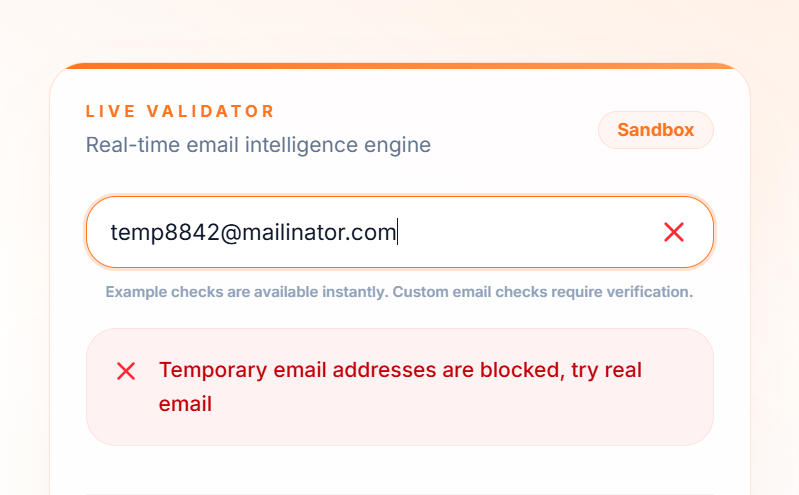
LeadCop validates every address at the form in real time, checking it against a database of 200,000+ disposable providers that updates daily, plus syntax, TLD validity, MX records, role account patterns, and typo detection. Decision time is under 100ms, so nothing about the form feels different to a real user.
You can see the classification behavior on the LeadCop homepage without signing up. Type an address or use the preset examples for disposable, gibberish, role, typo, and real.
Setup on your signup page
For most stacks, one tag before the closing </body>:
<script
  src="https://leadcop.io/leadcop-email-validator.js"
  data-api-key="YOUR_API_KEY">
</script>
That covers static HTML, Webflow, Framer, Shopify, and WordPress. For a React or Next.js app, call the API from your signup handler instead so you can decide what happens rather than blocking at the field:
const res = await fetch("https://leadcop.io/api/check-email", {
  method: "POST",
  headers: {
    "Authorization": "Bearer YOUR_API_KEY",
    "X-LeadCop-Source": "server",
    "Content-Type": "application/json",
  },
  body: JSON.stringify({ email }),
});
const data = await res.json();
if (data.isDisposable || data.isInvalidTld || !data.mxValid) {
  return blockSignup(data.reasons);
}
if (data.reputationScore < 70) {
  return createTrial({ email, tier: "restricted" });
}
return createTrial({ email, tier: "full" });
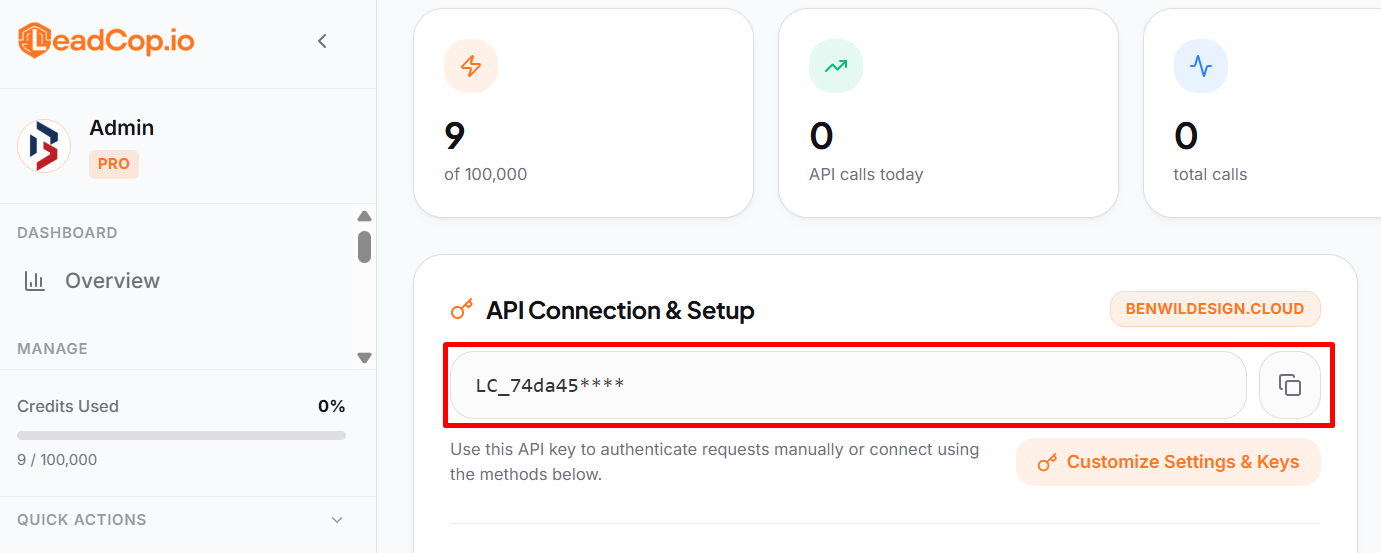
Primary keys are server-to-server only and return 403 from a browser. For client-side checks, create a domain-locked key in the dashboard or use the embedded script, which handles it for you. The full reference is in the LeadCop docs.
What to block and what to merely flag
The response gives you separate signals so you can treat them separately. Collapsing them into one block rule is how you end up rejecting customers.
Signal | Meaning | Trial action |
|---|---|---|
isDisposable | Burner domain | Block at the form |
isInvalidTld | Extension does not exist | Block at the form |
mxValid: false | Domain cannot receive mail | Block at the form |
didYouMean | Likely typo | Show inline correction |
isFreeEmail | Gmail, Yahoo, Outlook | Allow, tag for segmentation |
isRoleAccount | info@, admin@ | Allow, route to sales |
reputationScore | 0 to 100 composite | Set your own bands |
The didYouMean case is the one people skip and should not. A person who typed gmial.com is a real signup you are about to lose in silence. An inline correction under the field recovers them, and it is the only item on this list that increases your signup count rather than reducing it.
Layer 2: Request signals you already collect
Email intelligence handles most of the volume. These catch the rest, and none of them are visible to a user.
Signup velocity per IP and per subnet. Three accounts from one address in ten minutes is a pattern. Rate limit by subnet rather than exact IP, since rotating within a range is trivial.
Honeypot field. A form input hidden with CSS, ignored by humans, filled in by naive bots. Costs one line of markup and catches a surprising amount.
Time to complete. A form filled in 400 milliseconds was not filled by a person. Log the delta between page load and submit and score anything implausibly fast.
Referrer and UTM coherence. Signups claiming to come from a campaign that is not running, or with no referrer at all in a channel that always has one, are worth flagging.
Email alias normalization. Strip dots and everything after a + on Gmail addresses before checking whether the account already exists. This is how you catch serial trialers without asking them anything. j.o.h.n+trial9@gmail.com and john@gmail.com are the same inbox.
Disposable phone detection, if you collect a number. Same problem, different field.
Combine these into a score rather than treating each as a gate. Any one signal produces false positives. Three at once rarely does.
Layer 3: Gate value, not access
The most useful shift in thinking is to stop deciding at the door. Instead of one binary question at signup, run a graded response:
Clean signal: Full trial, immediately, no friction of any kind.
Mixed signal: Trial starts normally, but with limits behind the scenes. Lower API quota, no bulk export, no outbound sending, seat cap of one. A real user in this band almost never hits the ceiling. An abuser hits it in the first hour.
Bad signal: Blocked at the form with a clear message and a way to contact support, so the rare false positive has a path back.
This costs a legitimate user nothing, because the limits are set above normal trial behavior. It removes the entire economic incentive for abuse, because the thing being farmed is no longer available on a suspicious account.
The same logic applies to expensive actions. Rather than verifying identity at signup, verify at the moment someone tries to send 500 emails, invite twenty seats, or export the full dataset. Verification at that point has context, and the user understands why it is being asked.
Measuring whether it worked
Run in flag-only mode for a week before you block anything. You want a baseline and a false positive check.
Track:
Signups flagged, by traffic source. The distribution is the finding. Fakes concentrate.
Trial to activation rate, before and after. This should rise once the denominator is clean, with no change to your product.
Bounce rate on the welcome sequence. Usually the fastest visible improvement.
Support contacts from blocked users. Should be near zero. Anything above that means a rule is too aggressive.
Infrastructure cost per trial account. Slower to show up, often the largest number.
The activation rate change is the one to bring to whoever asks whether this was worth doing. It reframes the work from spam cleanup into metric accuracy.
Mistakes to avoid
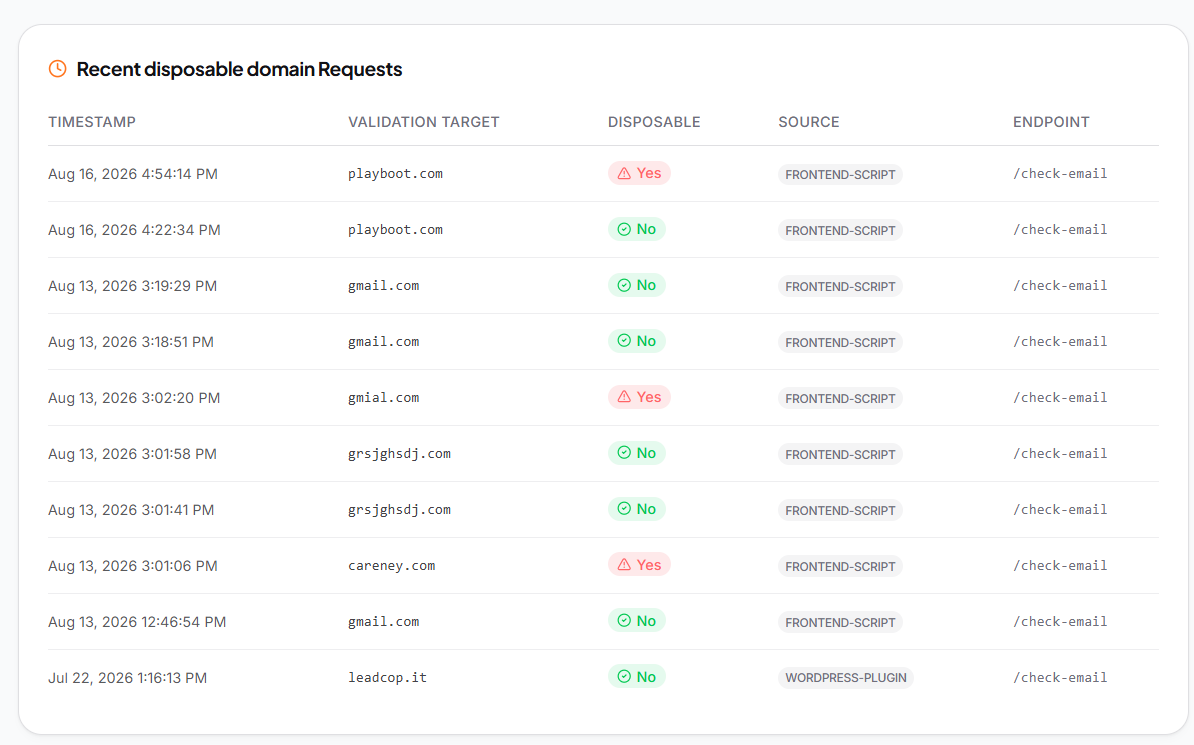
Fail closed: If your validation call times out, let the signup through. LeadCop's script and plugins fail open by design and API 500s are safe to retry, but the logic on your side has to match. Never reject a real customer because a check was slow.
Blocking without logging: You need to answer "did we turn away a real buyer on Tuesday" with a record, not a guess.
Treating free providers as fraud: Covered above, still the most common own goal.
One rule for every form: Your trial signup, your newsletter, and your contact form have different risk profiles and different costs of a false positive. Tune them separately.
Setting it once: Burner domains launch daily and abuse patterns shift. Look at the blocked log monthly for the first quarter.
FAQ
Will this reduce my signup numbers?
Your reported count drops. Real signups do not. What changes is that the number starts describing people.
Do I still need a credit card requirement?
Usually not, once burner emails and rate limits are handled. Card requirements solve fraud by shrinking the funnel, which is a pricing strategy decision rather than a security one.
Can serial trialers still get through with Gmail aliases?
Not if you normalize aliases before the duplicate check. Strip dots and the plus suffix, then compare.
Does any of this slow the signup form?
Validation returns in under 100ms, which is faster than most people finish typing the rest of the field.
What about competitors signing up?
Let them. The cost is negligible and the defenses against it would cost you real customers.
Where to start
Put validation on the trial signup form, leave it in flag-only mode for a week, and look at what it catches and where it came from. That single view tends to change the conversation, because the volume is usually higher than expected and it is usually traceable to one or two sources.
You can start free with no card, and setup on most stacks takes about two minutes.