
Someone fills out your signup form. The address looks fine. It has an @, a domain, a normal looking extension. Two weeks later your campaign bounces, your sender score drops, and a sales rep has spent forty minutes chasing a person who was never there.
That address was probably disposable. Burner inboxes are free, they take three seconds to create, and they expire on their own. People use them to grab a lead magnet, claim a free trial, skip a paywall, or abuse a promo code. Your form has no idea.
This post covers how to spot a disposable address by hand, where those manual checks break down, and how to automate the whole thing with LeadCop so bad addresses never reach your database.
What counts as a disposable email address
A disposable email is a temporary inbox that anyone can spin up without registration. Services like Mailinator, Guerrilla Mail, 10 Minute Mail, Temp Mail, and thousands of smaller clones hand out an address instantly, show the inbox in a browser window, and wipe it after a set period.
Three properties matter for you:
The address is real while it exists: It passes syntax checks. It has MX records. Mail sent to it is delivered. Basic validation will wave it through.
Nobody owns it: The inbox is public or semi-public, and it disappears. Anything you send after the window closes goes nowhere.
The domain pool keeps growing: New burner domains launch every day, and many providers rotate through hundreds of alias domains to dodge blocklists.
Worth separating from a few things that look similar but are not the same:
Type | Example | Disposable? |
|---|---|---|
Temporary inbox | temp8842@mailinator.com | Yes |
Free provider | john.doe@gmail.com | No, just a personal account |
Role account | support@company.com | No, but often a weak lead |
Typo domain | john@gmial.com | No, a fixable mistake |
Invalid TLD | user@startup.qwerty | No, a malformed domain |
Lumping all five into one "block" rule is a common mistake. Gmail addresses convert. Role accounts convert sometimes. Typos are recoverable if you catch them at the form. Only the first row belongs in the bin without a second thought.
Manual ways to check a single address
If you are looking at one suspicious signup and want a quick verdict, these techniques work.
1. Read the domain
Start with the obvious. Known burner domains are recognizable once you have seen a few:
mailinator.com
guerrillamail.com
10minutemail.com
temp-mail.org
yopmail.com
trashmail.com
sharklasers.com
dispostable.com
maildrop.cc
Search the domain name plus the phrase "temporary email" and you will usually get an answer in one click. The limit here is coverage. There are well over 200,000 domains in active use for burner mail, and the popular ones are a rounding error in that total.
2. Open the domain in a browser
Visit the bare domain. A burner service almost always advertises itself on its homepage with a randomly generated address, a live inbox pane, and copy about privacy or anonymity. A real company domain looks like a company.
Two catches. Some burner domains park on a blank page or redirect to the parent service, and some legitimate small businesses have equally empty sites. Treat this as a signal, not a verdict.
3. Check the MX records
Every domain that receives mail publishes MX records. You can look them up from a terminal:
dig MX mailinator.com +short
# 10 mail2.mailinator.com.
nslookup -type=MX temp-mail.org
A domain with no MX records cannot receive mail at all, so anything sent there hard bounces. That is a clean fail. But a valid MX record proves nothing about disposability, because burner services do accept mail. Use MX lookups to catch dead domains, not temporary ones.
4. Look up the domain age
Burner domains are usually young and cheap. A WHOIS lookup shows the registration date:
whois trashmail.com | grep -i "creation date"A domain registered eleven days ago that is submitting leads to your form deserves suspicion. A domain registered in 2004 probably belongs to somebody. Privacy shields hide the registrant on most domains now, so the date is the only field you can reliably use.
5. Test for catch-all behavior
Burner services accept mail at every possible mailbox, because the whole point is that you invent an address on the spot. If zx91qp7@example.com and nobodyhome@example.com are both accepted, the domain is a catch-all. Plenty of real companies run catch-all domains too, so this is a weak signal on its own, but it stacks well with the others.
6. Read the local part
The bit before the @ tells you something. Burner signups produce strings no human would pick:
temp8842@... | asdfghjk@... | qwerty123@... |
test@test.xyz | noreply@... | aaaaa@... |
Keyboard walks, long random strings, and the literal words test or temp show up constantly in throwaway registrations. This catches gibberish signups on free providers too, which the domain check would miss entirely.
7. Check public blocklists
Community maintained lists of disposable domains exist on GitHub and are free to pull. They are a reasonable starting point for a hobby project.
The problem is maintenance. A list that was current last quarter is already leaking. New domains appear daily, some providers rotate aliases specifically to stay off these lists, and a few lists include legitimate domains that were reported in error, which means you start blocking real customers without knowing it.
Why manual checking stops working
Every technique above assumes you are inspecting one address, after the fact, with time to spare. Real signup traffic does not work that way.
You get a hundred submissions overnight. Nobody is running WHOIS on a hundred domains. The address is already in your CRM, already in the welcome email queue, already counted as a conversion in the report your ad spend decisions are based on. By the time you catch it, the damage is downstream.
The checks also need to happen before submission, not after. A person who typed gmial.com by accident is a real lead you can save with an inline correction. Once the form posts and they close the tab, that lead is gone.
So the real question is not how to check an address. It is how to check every address automatically, at the moment it is typed, without slowing the form down.
Checking disposable emails with LeadCop
LeadCop runs the checks described above and several more, against a live database of 200,000+ burner domains that updates daily, and returns a verdict in under 100ms.
Try it without signing up
The fastest way to see what the classification looks like is the live validator on the LeadCop homepage. Type an address, or click one of the preset examples for disposable, gibberish, role, typo, and real.
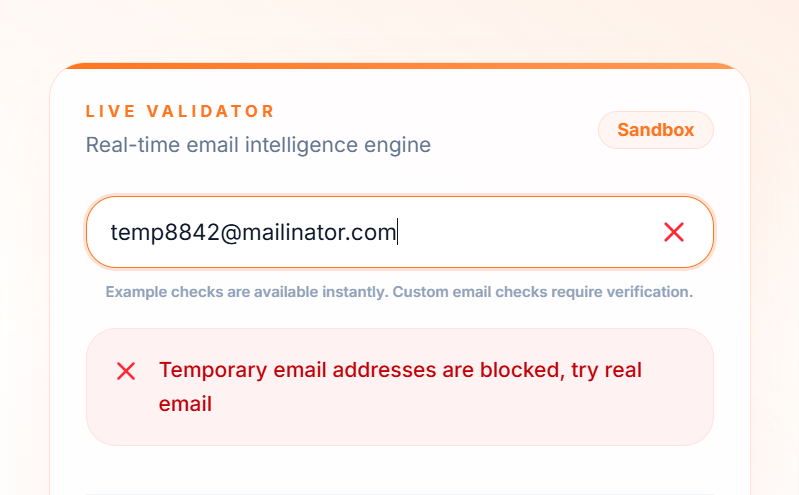
Option 1: The script tag, no code required
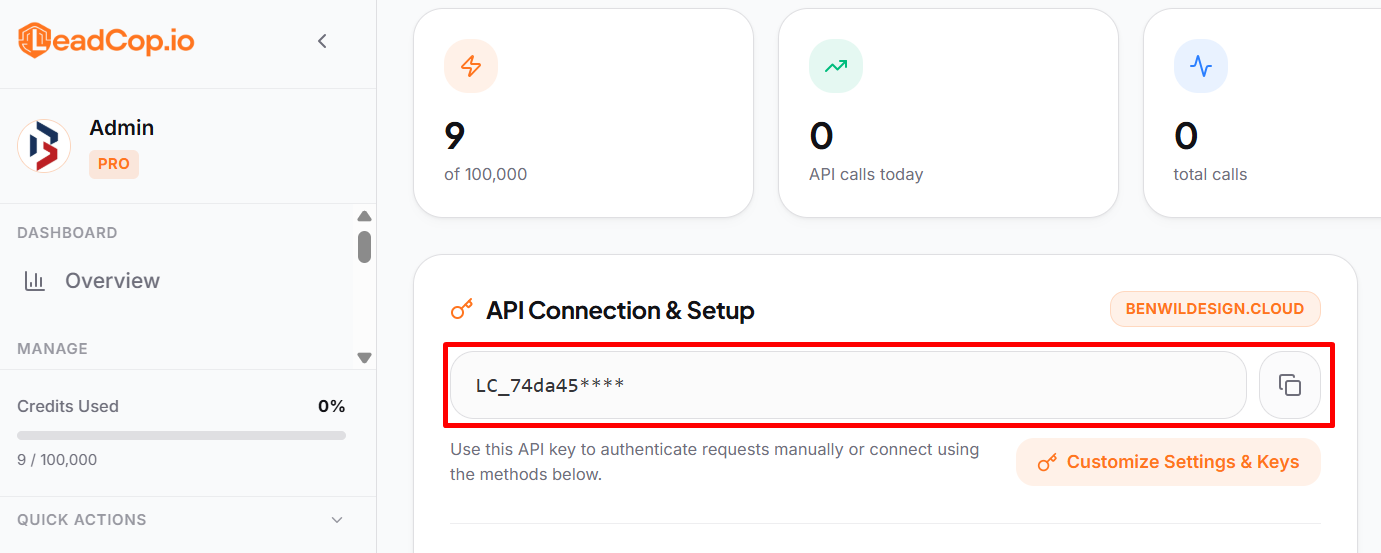
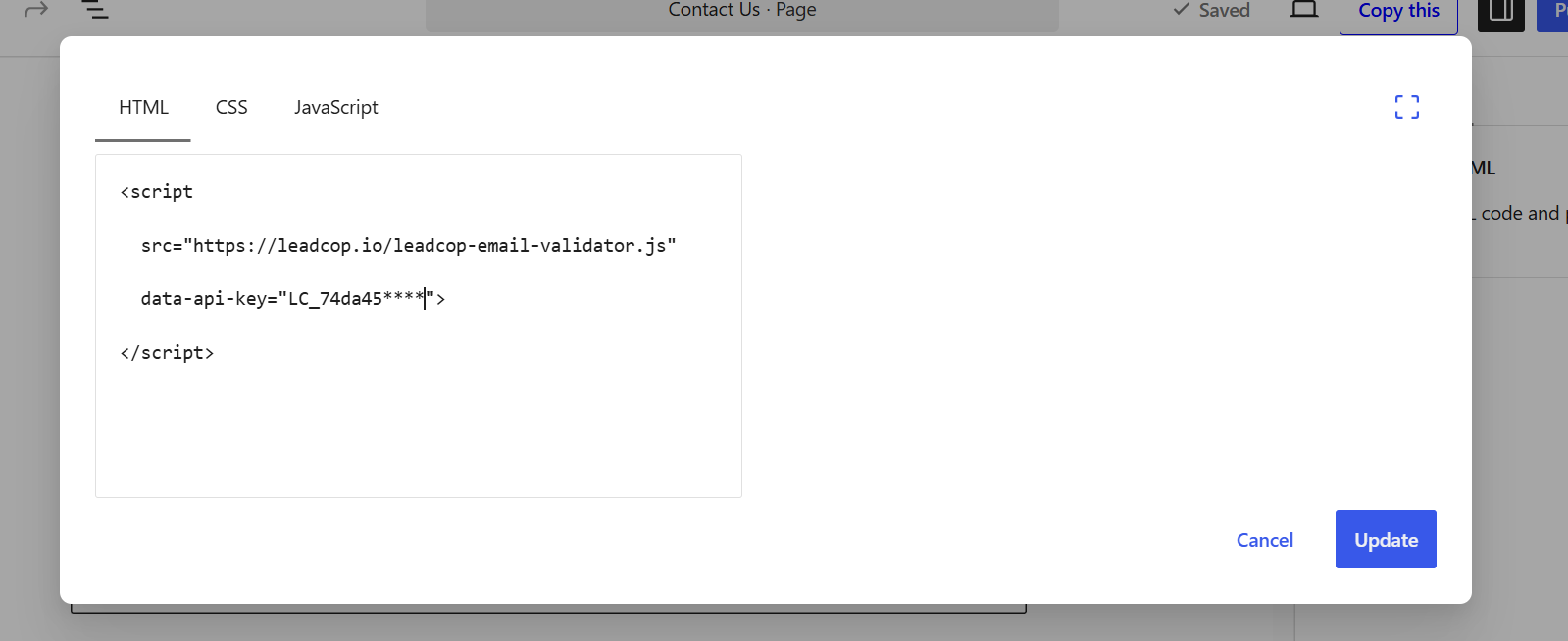
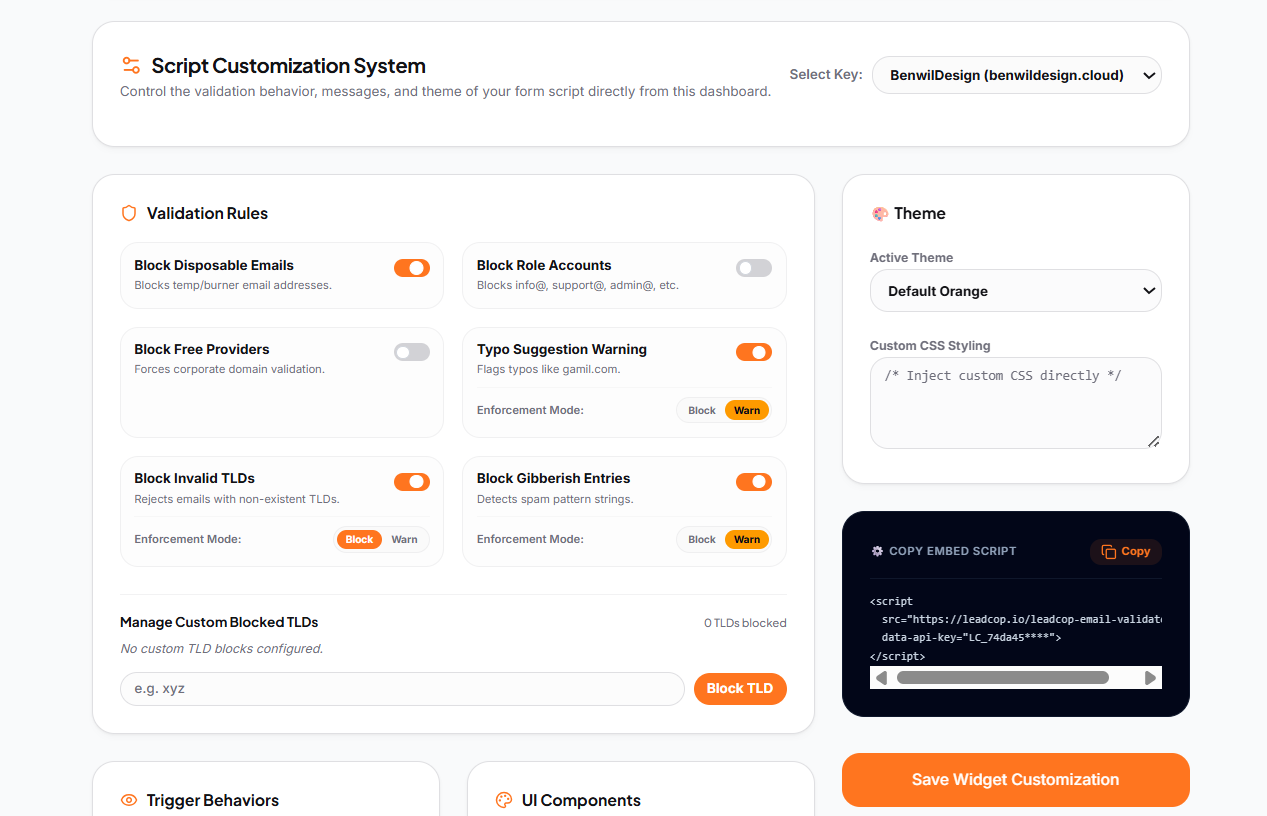
One line before the closing </body> tag on any site. LeadCop finds every email input on the page and validates as the user types.
<script
src="https://leadcop.io/leadcop-email-validator.js"
data-api-key="YOUR_API_KEY">
</script>
This works on static HTML, Webflow, Framer, Wix Premium, Shopify themes, and anything else where you can drop a tag into the footer. Setup takes about two minutes.
Option 2: WordPress plugin
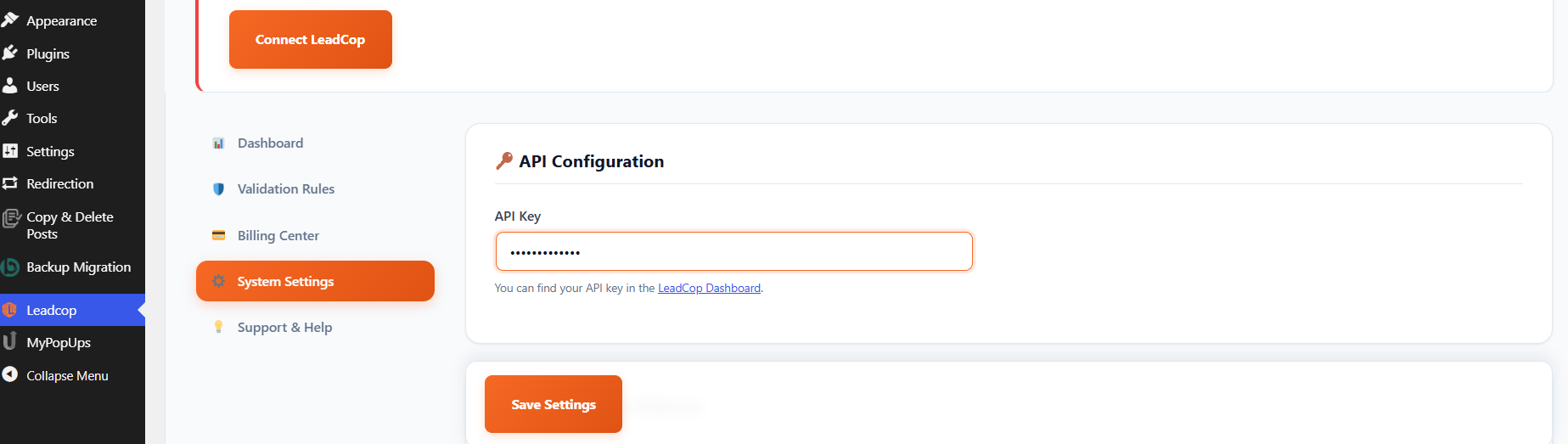
If you are on WordPress, install the plugin from the official directory, paste your key, save. It hooks into WordPress registration, comment forms, WooCommerce checkout, Contact Form 7, WPForms, and Gravity Forms without any extra configuration.
Option 3: REST API from your backend
For full control, call the endpoint directly from your server. This is the right choice when you want to run your own logic on the result rather than blocking at the form.
curl -X POST https://leadcop.io/api/check-email \
-H "Authorization: Bearer YOUR_API_KEY" \
-H "X-LeadCop-Source: server" \
-H "Content-Type: application/json" \
-d '{"email": "test@mailinator.com"}'
The response gives you every signal at once:
{
"isDisposable": true,
"domain": "mailinator.com",
"reputationScore": 40,
"riskLevel": "Poor",
"tags": ["disposable"],
"reasons": ["Disposable email provider detected"],
"isValidSyntax": true,
"isRoleAccount": false,
"isFreeEmail": false,
"isInvalidTld": false,
"didYouMean": null,
"mxValid": true,
"smtpValid": true,
"requestsRemaining": 999
}
One note on keys. Primary keys are server-to-server only and return a 403 if called from a browser. For anything client-side, create a domain-locked key in the dashboard or use the embedded script, which handles this for you. Full details are in the LeadCop docs.
How to read the response
The fields map directly onto the manual checks, so you can decide what each one should do in your funnel.
Field | What it answers | Suggested action |
|---|---|---|
isDisposable | Is this a burner domain? | Block |
isInvalidTld | Does the extension exist? | Block |
mxValid | Can the domain receive mail at all? | Block if false |
didYouMean | Did they mistype a common domain? | Show inline suggestion |
isRoleAccount | Is this info@ or admin@? | Flag, do not block |
isFreeEmail | Gmail, Yahoo, Outlook? | Flag for B2B segmentation |
reputationScore | Everything combined, 0 to 100 | Set your own threshold |
reputationScore is the field to build on if you want one number instead of seven booleans. Block below 40, review between 40 and 70, accept above that, and adjust once you have a week of data.
Rules that save you from over-blocking
Blocking too hard costs more than letting a few burners through. A few guardrails:
Do not block free providers by default: Gmail is the primary address for most solo founders, freelancers, and small business owners. If you sell B2B and want corporate addresses only, flag free providers and route them differently instead of rejecting them at the door.
Do not hard block role accounts: purchasing@ and accounts@ are real buyers in plenty of industries. They convert worse on average, which is a reason to score them lower, not to turn them away.
Fix typos, do not reject them: When didYouMean comes back populated, show a one-click correction under the field. This is the single highest return use of validation, because it recovers leads you would otherwise lose silently.
Fail open, never closed: If your validation service has an outage, form submissions should still go through. LeadCop's script and plugins fail open by design, and the API returns 500s that are safe to retry. Do not write backend logic that rejects a signup because a check timed out.
Log what you block: You want to be able to answer "did we block a real customer last Tuesday" with data rather than a guess.
Cleaning a list you already have
Everything so far protects new signups. For the list already sitting in your CRM, loop the same endpoint over your existing addresses and segment on the result.
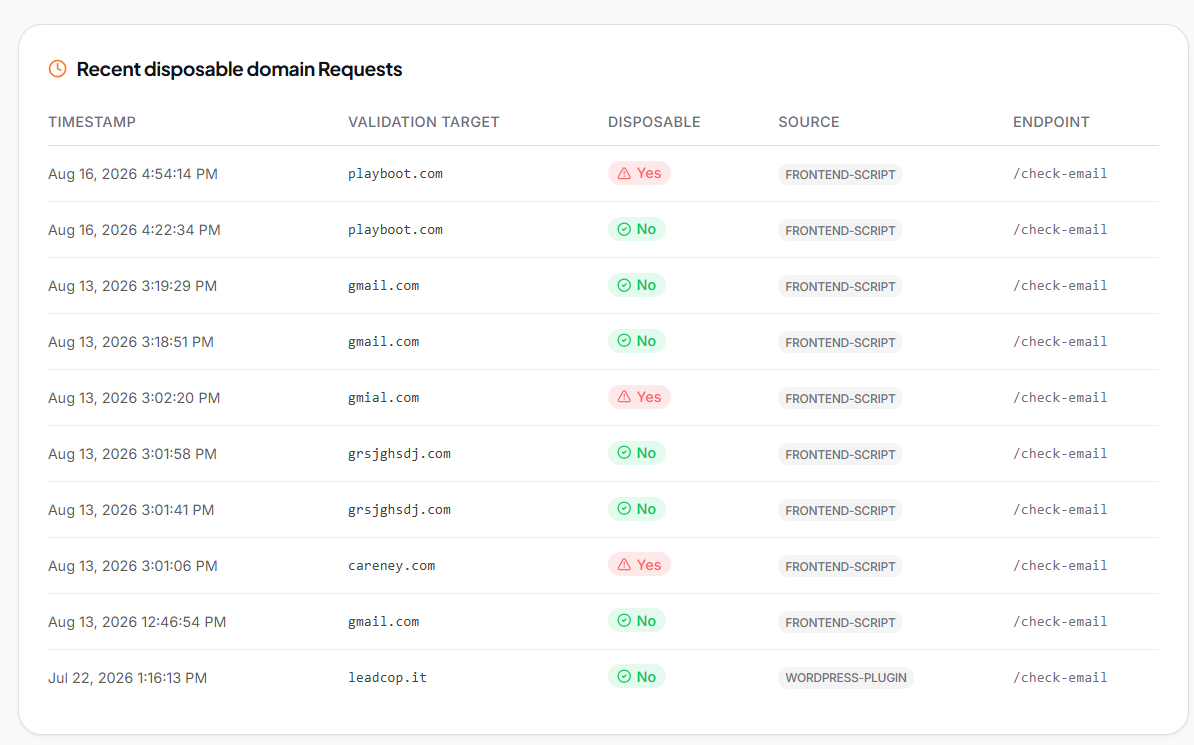
Suppress the disposables before your next send rather than deleting them outright. Bounce rates recover quickly once burner addresses stop receiving mail, and keeping the records lets you see which acquisition channel produced them. That last part is usually the more valuable finding. Fake signups almost never spread evenly across sources, and once you know which campaign is generating them, you can cut spend that was never producing anything.
FAQ
Can I detect a disposable address without sending anything to it?
Yes. Domain reputation, MX records, TLD validation, and blocklist matching all happen without contacting the mailbox. Nothing is sent to the address during a LeadCop check.
Are disposable and invalid the same thing?
No. A disposable address is valid and deliverable right now. It just will not exist next month, and nobody is reading it. Standard syntax validation passes it without complaint.
Will blocking burner emails hurt conversion rates?
Your reported conversion count drops, because fake signups were inflating it. Real conversions do not change. What improves is everything downstream: deliverability, sales time, and the accuracy of your channel data.
How often do new disposable domains appear?
Constantly. That is why a static blocklist decays. LeadCop's domain database updates daily.
Does the check slow down my form?
Average decision time is under 100ms, which is faster than most people finish typing the rest of the field.
Start with one form
Pick your highest volume form. Add the script tag or the WordPress plugin, leave it on flag-only mode for a week, and look at what it catches. Most people are surprised by the volume, and more surprised by which single traffic source is responsible for most of it.
You can start free with no card, and setup takes about two minutes.