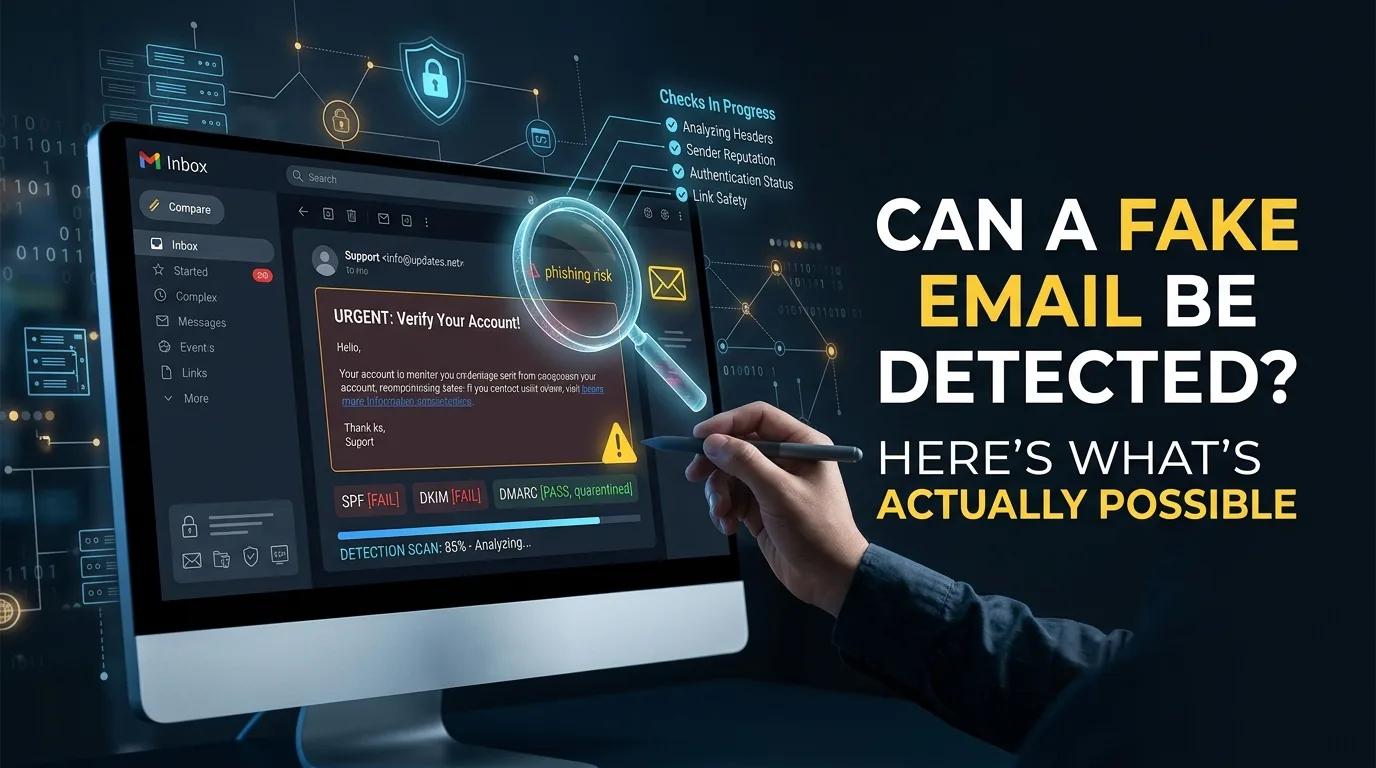
Some of it, with certainty. Some of it, with a probability you can act on. And a piece of it, not at all.
The reason this question gets vague answers is that "fake email" describes at least five different things, and they have completely different answers. A malformed address is provably fake in about two milliseconds. A burner address is identifiable with high confidence. A real inbox belonging to someone using a false name is not detectable from the address, ever, by anyone.
Most bad decisions about signup validation come from treating those as one question. This post separates them, says what each layer can actually prove, and gives you a way to decide how hard to check based on what a mistake costs you.
Five things people call a fake email
1. Malformed or nonexistent: user@@nowhere, john@startup.qwerty, a domain with no mail server. Nothing can be delivered here.
2. Deliverable but disposable: temp8842@mailinator.com. Real, working, and gone in an hour. Passes every basic check.
3. A real inbox with a false identity attached: Someone signs up as "Sarah Chen at Acme Corp" using a Gmail account they own. The address is perfectly real. The story around it is not.
4. An alias or relay of a real inbox: Apple's Hide My Email, Firefox Relay, DuckDuckGo, or a Gmail + alias. Looks unusual, forwards to a permanent inbox, belongs to a real person.
5. Someone else's real address: Entered by mistake, or entered deliberately without that person's consent. Valid, deliverable, and the wrong human entirely.
These get lumped together constantly, which is how you end up with a system that blocks relay users to stop burner signups and never catches a single case of category three or five.
What can be proven
A small set of things are provable from the address alone, with no probability attached. If a check in this tier fails, the address cannot receive mail, and there is no scenario where blocking it costs you a customer.
Syntax violations: Two unquoted @ symbols, a local part over 64 characters, consecutive dots, a missing domain. Deterministic.
Nonexistent top level domain: The extension is checked against the IANA root zone, which lists over 1,400 valid TLDs. startup.qwerty fails because .qwerty does not exist.
No MX records: A domain with no mail exchange records cannot accept mail. Anything sent there hard bounces. This is a fact about DNS, not an inference.
That is the whole certainty tier. It catches typos, malformed input, and lazy fake entries. It catches zero disposable addresses, because burner domains have valid syntax, valid extensions, and working mail servers.
What can be established with high confidence
Almost everything useful lives here. These are not proofs, but the error rate is low enough to act on.
Known disposable domains: If the domain appears in a maintained database of burner providers, the verdict is about as close to certain as inference gets. The main failure mode is staleness rather than logic, which is why the database has to update daily rather than being pulled once.
Domains sharing infrastructure with known burner services: Hundreds of unrelated looking burner domains route mail through the same backend. When a new domain's MX records match a known temp mail operator, it can be classified before anyone has used it against a form. This is how detection catches domains registered yesterday.
Domain typos: A domain one or two edits from gmail.com that is not itself a valid domain is a mistake with very high probability. gmial.com, hotmial.com, yahooo.com.
Role addresses: info@, admin@, support@, billing@. Pattern matching identifies these reliably. What it identifies is a shared mailbox, not a fake one.
Free provider addresses: Gmail, Yahoo, Outlook. Reliably identifiable and, importantly, not a fraud signal at all. It is a segmentation fact.
What is only a weak signal
Treat these as inputs to a score, never as a reason to block on their own.
Young domain age: A domain registered eleven days ago is worth noticing. It is also what every new company has.
Catch-all behavior: Burner services accept mail at every possible mailbox. So do plenty of legitimate businesses.
Gibberish local part: qk7zvxn2@gmail.com looks wrong. Real people also have short names, use initials, and write in languages that look high-entropy to a model tuned on English.
Unusual TLD: .xyz and .top attract abuse because they are cheap. They also belong to real companies.
Any one of these produces false positives at a rate you would not accept. Three of them at once is a different story, which is the entire reason detection systems output a composite score rather than a list of flags.
What cannot be detected from an address
This is the part usually left out, and it is the part that determines whether validation is the right tool for your problem.
Identity: An email address carries no information about who owns it. sarah.chen@gmail.com might be Sarah Chen, might be anyone. No validation service can tell you, because the information does not exist in the data.
Intent: Whether someone plans to buy, abuse your free tier, or scrape your API is not encoded in their address.
Whether the inbox is monitored: An address can be real, deliverable, and completely unread. Corporate addresses of people who left, secondary accounts, forwarding addresses nobody checks.
Whether a relay user is legitimate: Apple Hide My Email and similar services generate an alias that forwards to a real permanent inbox. The person is real and reachable. From the outside, the alias looks strange. Systems that classify these as disposable reject genuine customers, and relay usage keeps climbing, so this error gets more expensive every year.
Self-hosted burners: Anyone with a domain and half an hour can run a private catch-all. Low volume, and essentially invisible to domain reputation.
Whether someone consented to being signed up: Address validation confirms deliverability. It cannot confirm that the owner asked to hear from you.
Verification loops, and what each one actually proves
When you need more than the address can tell you, you have to ask the user to do something. Each option proves a specific, limited thing, and it is worth being precise about which.
Method | What it proves | What it does not prove | Cost to real users |
|---|---|---|---|
Confirmation link | Control of the inbox right now | Identity, or that the inbox lasts a week | Moderate, some drop off and never return |
One-time code | Same as above, slightly faster | Same limits | Moderate |
SMS code | Control of a phone number | Identity, and burner numbers are cheap | High, plus friction and cost |
Card on file | Access to a payment method | Identity, but the strongest proxy available | Very high, cuts signup volume sharply |
Document check | Identity, actually | Nothing about intent | Extreme, only justifiable in regulated flows |
Note the first row. Email confirmation is widely believed to stop burner signups, and it mostly does not. Temporary mail services display the inbox in a browser window, so clicking a confirmation link takes about four seconds. What confirmation reliably costs you is real users who bounce to their email client mid-signup and never come back.
The pattern that works better is to check what you can for free at the form, and reserve a verification loop for the moment someone tries to do something expensive. Verification at that point has context, and the user understands why they are being asked.
Matching the check to what a mistake costs
The right level of checking is not a fixed answer. It depends on which error hurts more in that specific flow.
Flow | Cost of letting a fake through | Cost of blocking a real user | What to run |
|---|---|---|---|
Newsletter signup | Low, one bounce | Low | Address validation only |
Free trial | Medium, infra and skewed metrics | High, that was a lead | Validation, plus limits on suspicious accounts |
Checkout | Low, payment already proves a lot | Very high, lost revenue | Validation, typo correction, block nothing else |
Account with financial access | Very high | Medium | Validation, then a real verification loop |
Contact form | Low | High, that was an inbound | Validation, flag rather than block |
The checkout row is the one people get backwards. At checkout, payment processing already carries the fraud signal. What validation should do there is catch typos so the receipt actually arrives, and otherwise get out of the way.
Where automated validation fits
For the two tiers that are provable and high-confidence, this should happen at the form, in real time, with no visible effect on the user.
LeadCop returns a verdict in under 100ms, checking syntax, TLD validity against 1,400+ extensions, MX records, a database of 200,000+ disposable domains updated daily, role patterns, free provider status, and domain typos. You can test the classification behavior on the LeadCop homepage without an account, using the presets for disposable, gibberish, role, typo, and real.
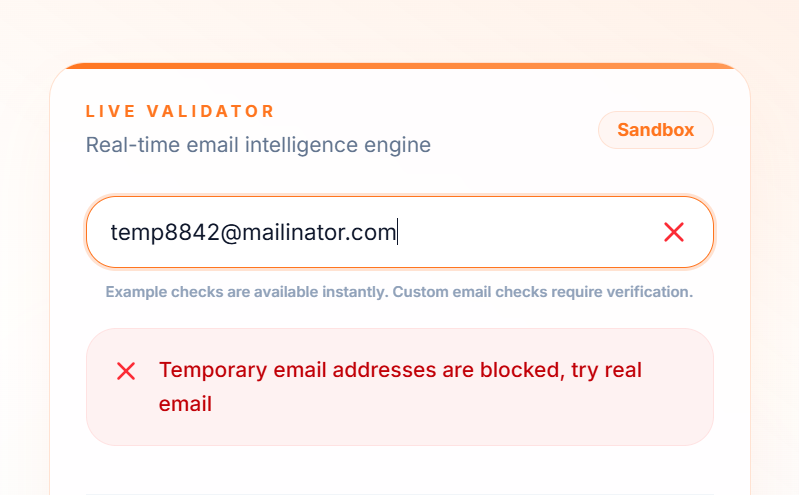
The response separates the signals so you can decide what each one means in your flow, rather than accepting one block-or-allow answer:
{
  "isDisposable": true,
  "domain": "mailinator.com",
  "reputationScore": 40,
  "riskLevel": "Poor",
  "tags": ["disposable"],
  "reasons": ["Disposable email provider detected"],
  "isValidSyntax": true,
  "isRoleAccount": false,
  "isFreeEmail": false,
  "isInvalidTld": false,
  "didYouMean": null,
  "mxValid": true,
  "smtpValid": true,
  "requestsRemaining": 999
}
Worth reading that carefully in the context of this post. isValidSyntax, mxValid, and smtpValid are all true. Every certainty-tier check passes. The address is caught only by domain intelligence, which is exactly why "is it a valid email" and "is it a real user" are different questions.
Mapping the fields onto the confidence tiers above:
Field | Tier | Action |
|---|---|---|
isValidSyntax, isInvalidTld, mxValid | Provable | Block, zero false positive risk |
isDisposable | High confidence | Block |
didYouMean | High confidence | Suggest a correction, never block |
isRoleAccount, isFreeEmail | Factual, not fraud | Tag and route |
reputationScore | Composite | Set bands, review the middle |
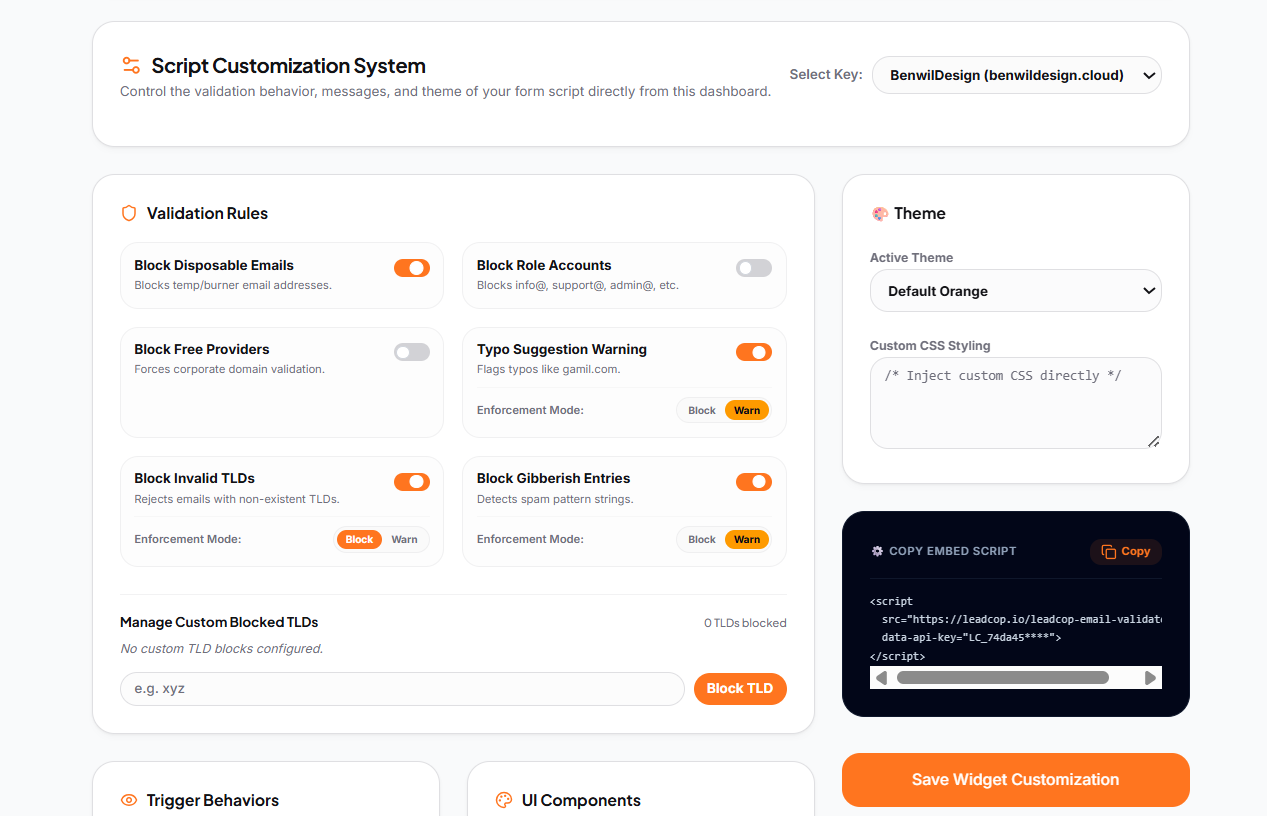
Setup is one script tag before the closing </body>, or a direct API call from your backend if you want to run your own logic on the result:
<script
  src="https://leadcop.io/leadcop-email-validator.js"
  data-api-key="YOUR_API_KEY">
</script>
Full reference, including the WordPress plugin and setup for Shopify, Webflow, Framer, Wix, and React, is in the docs.
The false positive budget
Every detection system has an error rate. The useful question is not how to eliminate errors, it is which error you would rather make.
Decide this per form, in advance, and write it down:
A false negative means a fake got through. Cost: one bounce, a bit of infra, some noise in your metrics.
A false positive means a real person was turned away. Cost: a customer, and usually with no notification to you that it happened.
For a newsletter, false negatives are cheap and you can be aggressive. For a checkout, a false positive is the most expensive event in the funnel and you should block almost nothing. Most teams never make this decision explicitly, which is how a single global rule ends up applied to five flows with completely different economics.
Two operational rules follow from it. Log every block, so you can answer whether you turned away a real buyer with a record rather than a guess. And fail open, so a validation timeout never rejects a signup. LeadCop's script and plugins fail open by design, and API 500s are safe to retry.
FAQ
Can you tell if an email address is real without sending anything to it?
You can tell whether it is deliverable, using DNS and domain reputation, with nothing sent to the mailbox. Whether a real person reads it is a separate question that no passive check answers.
Does email confirmation stop burner signups?
Mostly no. Burner inboxes are visible in a browser, so the click takes seconds. It does reliably cost you a share of real signups.
Can you detect a fake name attached to a real address?
Not from the address. Identity requires a verification loop or an external data source.
Are Apple Hide My Email addresses fake?
No. They forward to a real permanent inbox owned by a real person. Blocking them rejects customers.
Is a 100% accurate answer possible?
On deliverability, close to it. On disposability, high but not perfect, because new domains appear daily and custom-domain burners exist. On identity and intent, no, and any vendor claiming otherwise is selling something.
A reasonable place to start
Decide which of the five meanings of "fake" is actually costing you money. For most teams it is category two, burner addresses on trials and lead forms, and that one is solvable at the form with no friction added to anyone.
Run validation in flag-only mode on your highest volume form for a week and read the reasons field on what it catches. That tells you which category your problem actually falls into, which is often not the one people assume.
You can start free with no card, and setup takes about two minutes.